
For families, couples and housemates
One list. Whole household.
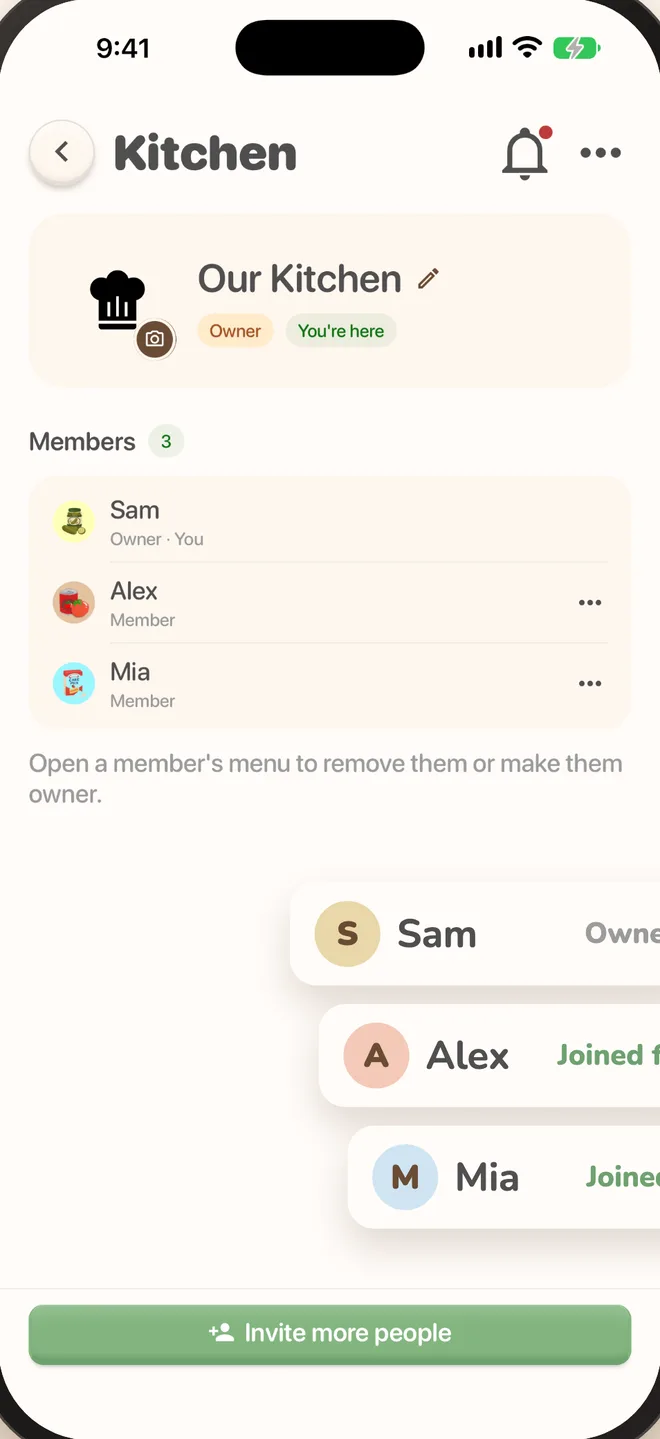
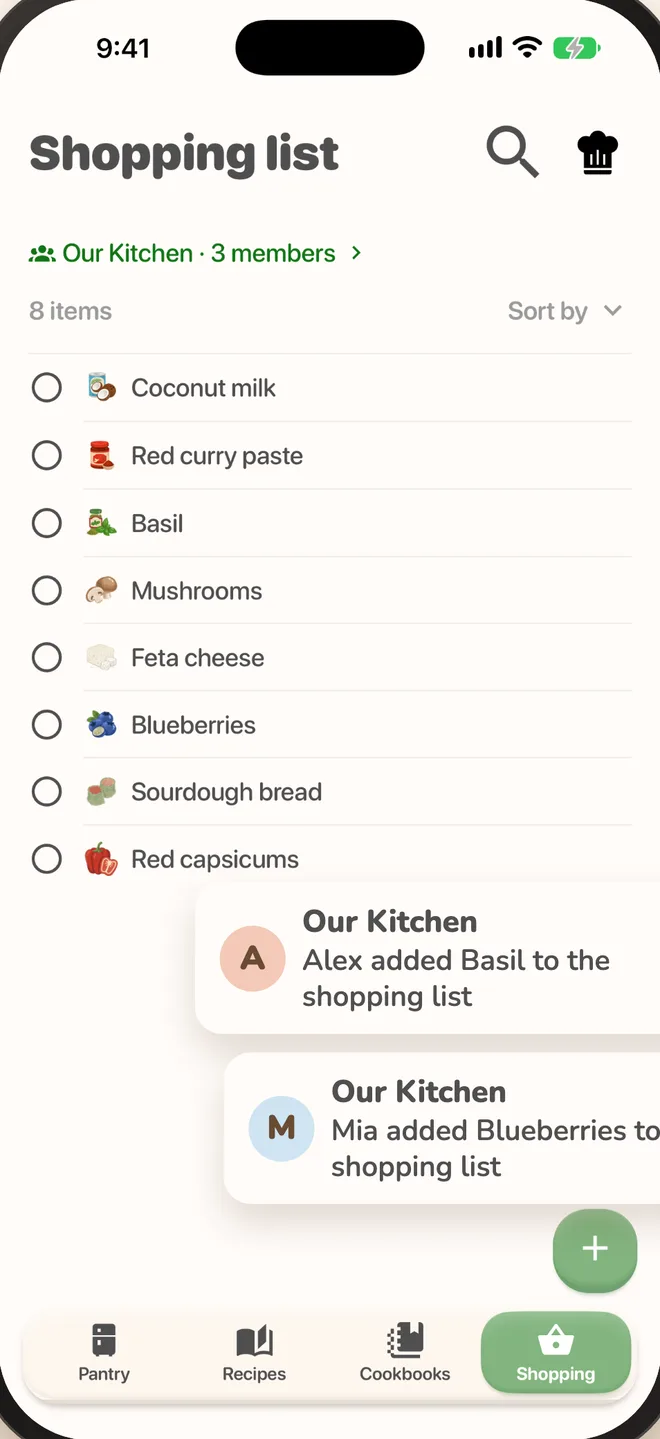
Add milk from the couch and it's on the list before whoever's shopping reaches the dairy aisle. Shop, stock the pantry and find dinner ideas together, all in one app.


Sound familiar?
Most kitchen chaos comes down to one thing: nobody knows what everyone else knows.
Two of you came home with milk.
Put it on the list and everyone can see it’s covered.
Halfway through dinner, no eggs.
Check the pantry together from anywhere, even mid-shop.
“What was that curry we liked?”
Save it to a family cookbook and it’s there next time anyone’s deciding dinner.
Everyone's
kitchen.
Plan meals, build the list and stock the pantry together, with every change on everyone's phone as it happens.
- A shared shopping listEveryone adds to it, and whoever's at the shop has the latest.
- A shared pantrySee what's in the fridge from anywhere, and what's bought goes straight in.
- Family cookbooksDiscover recipes and save them to collections you build together.
- See who added whatA heads-up when the list changes, so you know who wanted the fancy cheese.
- iPhone, iPad and AndroidPhones and tablets on iOS 16.4 or Android 7.1 and later.
- More than one kitchenOne for home, one for the holiday house. Switch in a tap.
 MilkAAlex added
 EggsMMia added
 BreadSSam ticked off
Only one of you pays. Everyone you invite joins free.
Up and running in a minute.
It takes about as long as writing the list.
- 01
Start a kitchen
Download PantryPal and start a kitchen with Premium. Your pantry, list and recipes become shareable.
- 02
Send an invite
Text the link to your partner, the kids or the housemates.
- 03
Cook together
They tap the link and they’re in. No subscription needed.
Sharing,
explained.
What people ask before they bring the household in.
Does everyone need to pay?
No, just one of you. Whoever starts the kitchen has Premium, and everyone they invite uses it free.
We have iPhones and Android phones. Does that matter?
Not at all. PantryPal runs on iPhone and iPad (iOS 16.4 or later) and Android phones and tablets (Android 7.1 or later), and they all join the same kitchen.
How do I invite someone?
Open your kitchen, tap Invite and send the link however you like. When they open it, they land in your kitchen.
How quickly do changes show up?
Within a second or two. The list updates on everyone's phone, and they get a notification when something's added.
Can we have more than one kitchen?
Yes. Keep one for your place and one with your parents, say, and switch between them in a tap.
What happens if I stop Premium?
Nothing is deleted. Everyone can still see the shared kitchen, but it's view only until you renew. Your own pantry, recipes and list stay free either way.
Shop once.
Cook together.